So this was a nice final basic feature to get working. One of the bonuses of working ‘live’ in production, is that we get to see the quick differences between “it runs on my machine” and “it works for everyone else in the world”. These are two very different things.
One of the downsides is that when you forget to include your package.json to the latest commit after adding a new library, your server breaks for a few minutes. Sorry about that, if you noticed.
[BTW, if you just got here, this is about haikuthenews.io]
The app takes in two forms in input, either an image to upload, or a URL, of which it will take an image to upload. We are using a library called “puppeteer“. More information here.
The crucial lines of code are quite simple, as is our methodology.
await page.goto(url, {timeout: 3000 });
await page.screenshot({ path: screenshotPath, fullpage: true });
So what do we have here? Pretty self-explanatory. Go to this URL, wait a bit. Take a screenshot of the full page. That’s it.
That’s the extend of the hacking here. What’s pretty fun is I get a LOT of rejections. There are a lot of anti-bot questions. My bot answers honestly: “Yes, I’m a bot, hello how do you do? Can I come *SLAM*”.
Anyway, it leads to some fun art. For example: The Houston Chronicle had a fun editorial today. But, I didn’t get a chance to read it, and now neither do you. BUT, we did get some fun art about their website rejecting us! 🙂
I’ve got a bunch of these…well…had. I’ve lost (the links are borked) a lot as we’ve moved from everything being dumped into a single folder, then a dated folder, then a sorted directory, then a sorted s3 directory.
And I’ve kinda learned not to try NYT links, but this is how they end up. To be absolutely clear, I’m totally fine with them hiding the best reporting on the biggest stories with the best sources behind the biggest paywall, that’s their 5th Generation Publishing Heir Who Runs Things’ choice, and he’s welcome to it. (sidenote: in addition to an actual degree in the subject and lifetime of watching the internet eat publishing, I have a bit more to say on this subject. We’ll give it time, but you’ll hear it).
Moving on…
Uploaded images are different. They are much more straightforward. And can be *huge*, as phones now take photos larger than the hard drives of my first four computers.
So, I had a library installed called “sharp“, which does exactly what I need (Claude recommendation, I have no idea what image processing libraries existed or what they are called about would have spent a few hours googling and days testing).
The typical use case for this high speed Node-API module is to convert large images in common formats to smaller, web-friendly JPEG, PNG, WebP, GIF and AVIF images of varying dimensions.
So there ya go. When something is too big, we make it smaller, then go with it.
Still futzing around with the limits (and will for a while), but this was the core of things. Then it was a matter of futzing with paths again (we had to make back-end changes to accommodate the new S3-first approach to file-saving) and twelve quick deploys, and we got this…
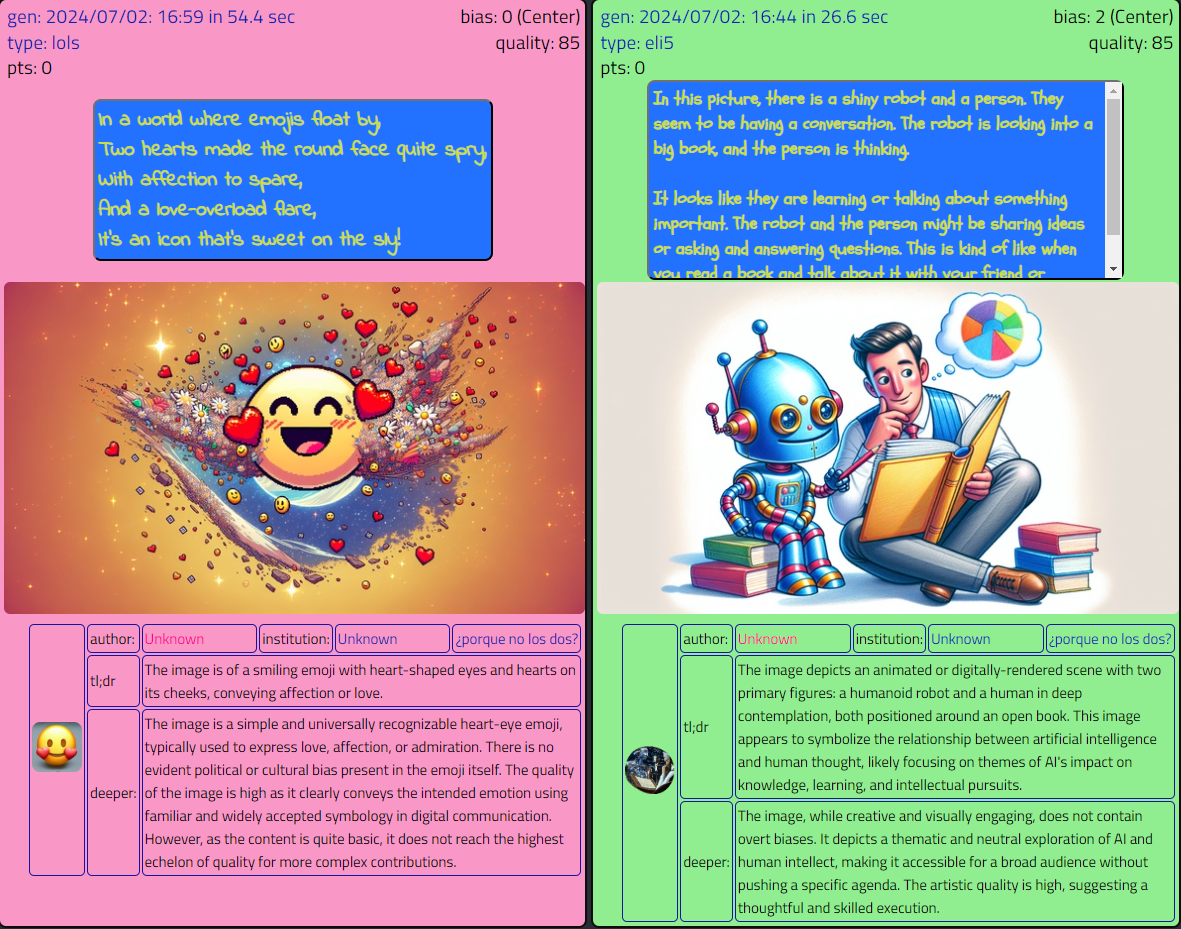
Those are the first two responses that include that image down there is the table. That’s the “uploaded” image, and the source of all that follows. That’s the prompt.
And now that everyone can see the prompts, the fun can begin.
Off to another day!
 Robot Pirate Ninja