For those that haven’t followed the developments of various AI models, I think it’s easy to say now that almost everyone has heard of Gemini. Google has been basically force-feeding it everyone, so it’s unlikely folks have been able to avoid hearing about it. One of the things that Gemini uses (as of version three) is Google’s own search tools. This allows one to easily incorporate Google search results into images. Here’s a progression on some prompts and results. The prompt format is the same, and it’s very, *very*, simple.
from google import genai
from google.genai import types
prompt = "Give me an image including a box score for the most recent Denver Broncos football game. (Today is December 20, 2025).  Use an animated-looking image for the biggest play as a main part of the image, with the players replaced by versions of that team's mascots. Double check the team and player names before doing the box score and image. Include the stats for the top players in the box score in the bottom right of the image. Make sure and format the text to look professional."

aspect_ratio = "16:9" # "1:1","2:3","3:2","3:4","4:3","4:5","5:4","9:16","16:9","21:9"

client = genai.Client(api_key="[API KEY]")

response = client.models.generate_content(
    model="gemini-3-pro-image-preview",
    contents=prompt,
    config=types.GenerateContentConfig(
        response_modalities=['Text', 'Image'],
        image_config=types.ImageConfig(
            aspect_ratio=aspect_ratio,
        ),
        tools=[{"google_search": {}}]
    )
)

for part in response.parts:
    if part.text is not None:
        print(part.text)
    elif part.inline_data is not None:
        image = part.as_image()
        image.save("[image_name].png")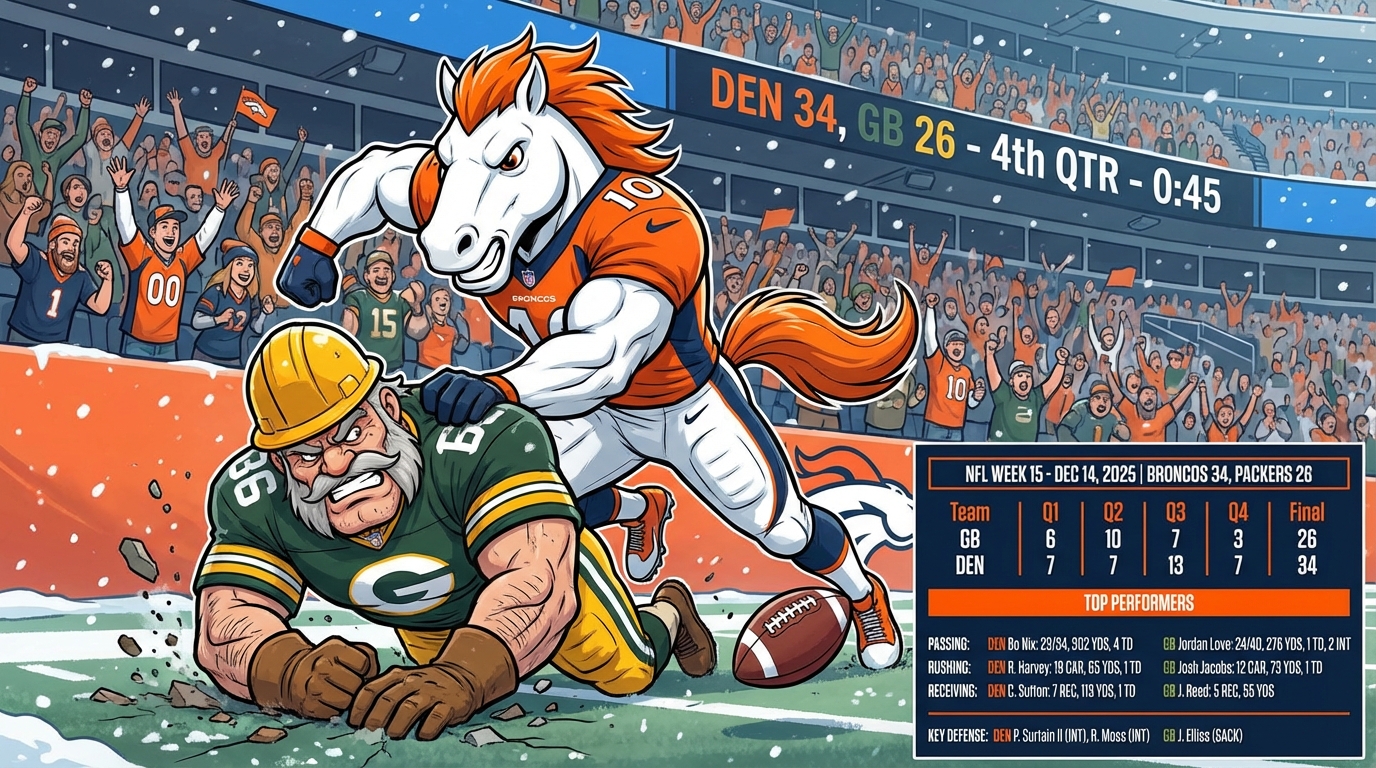
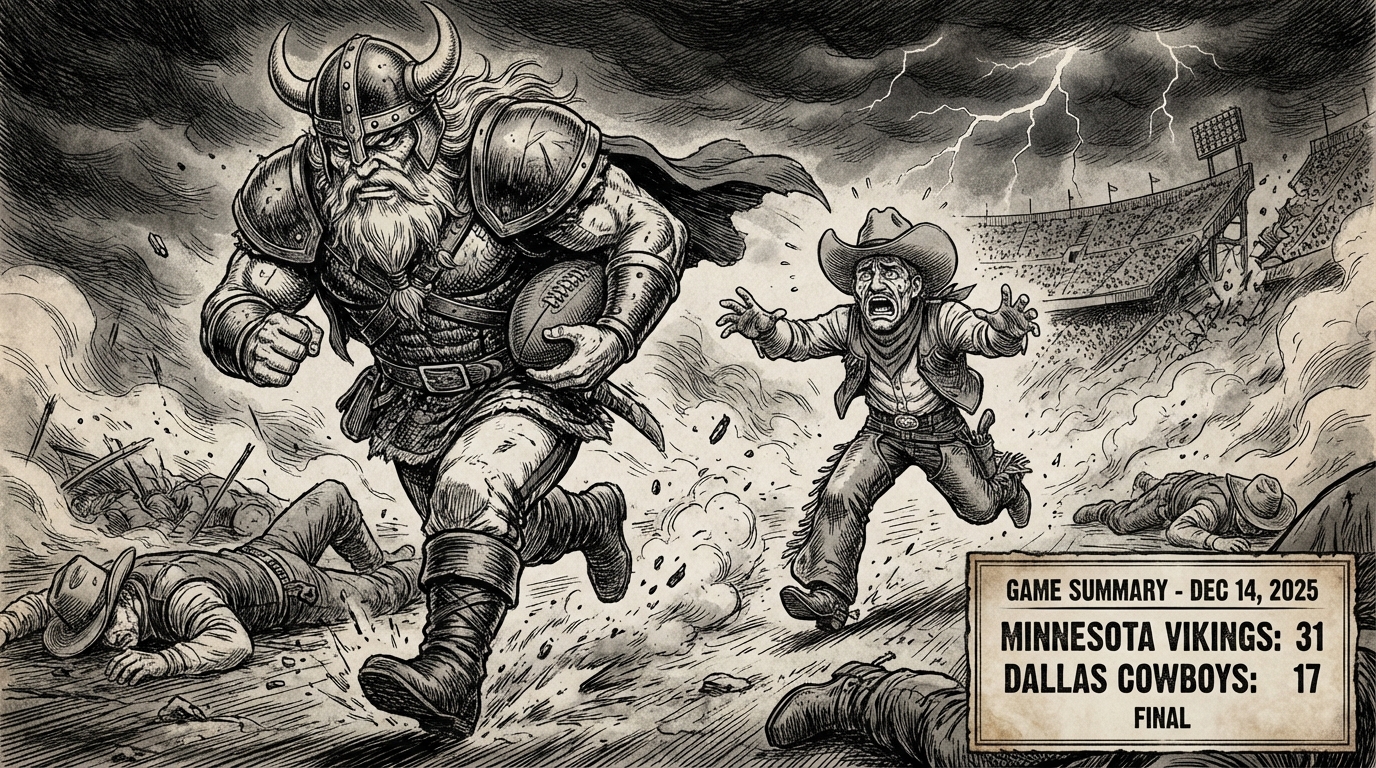
prompt = "Give me an image including a box score for the most recent Dallas Cowboys football game. (Today is December 20, 2025). Use an image for the biggest play of the game as if was hand drawn by Kentaro Miura, with the players replaced by versions of that team's mascots. Double check the team and player names before doing the box score and image. Include the stats for the teams in the box score in the bottom right of the image. Make sure and format the text to look professional."
prompt = "Give me an image showing the weather forecast for zip code 75248 for the next 10 days. Be creative with the depiction of special weather events, but make sure to get the High, Low, Sunrise time, and Sunset time for each day."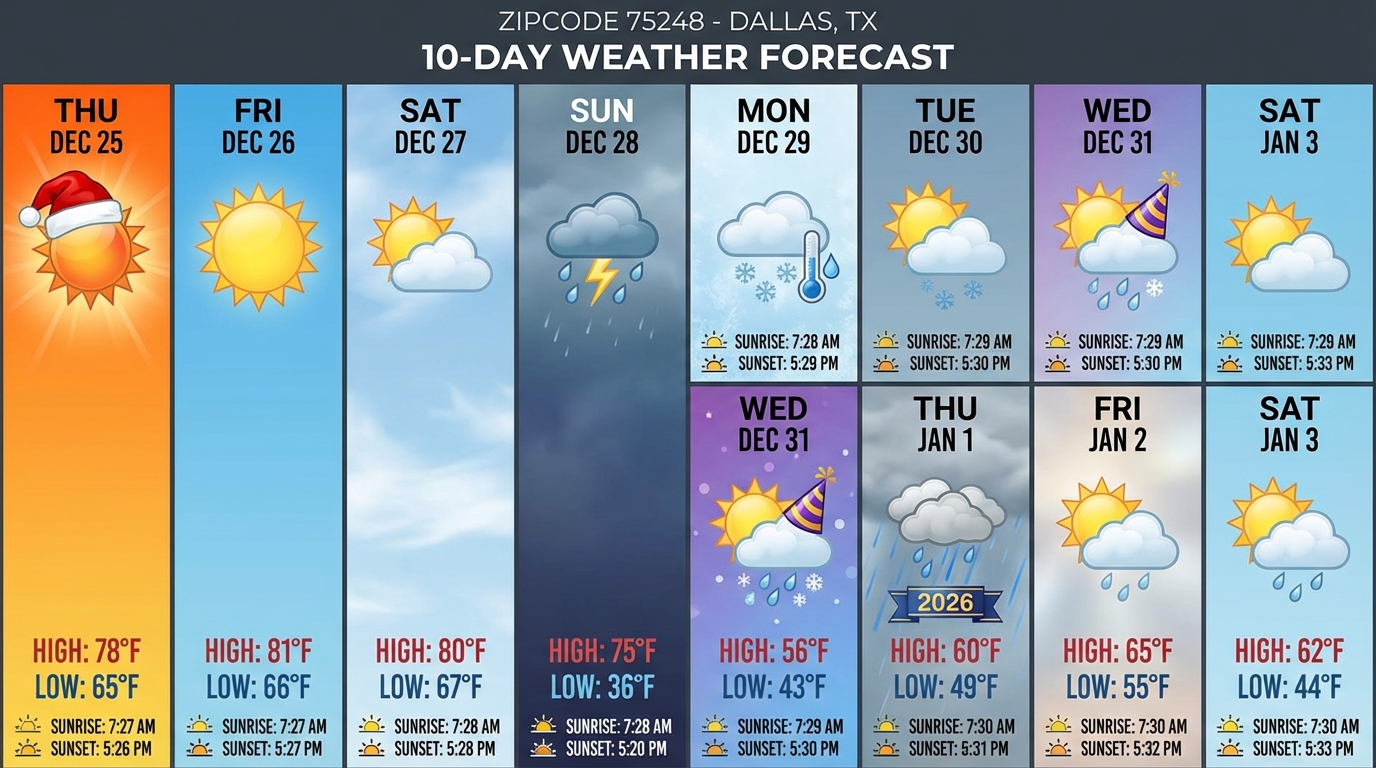
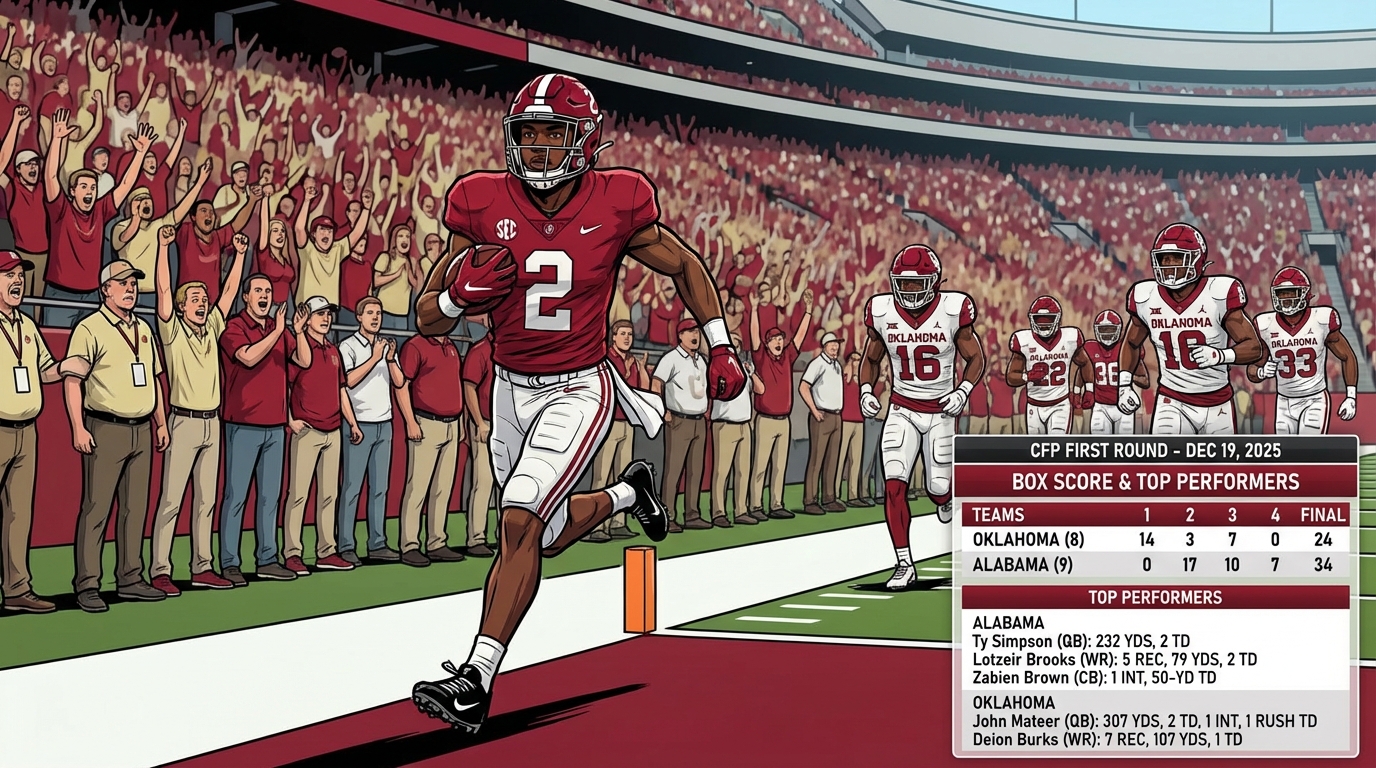
Here’s a few others, including some different styles.
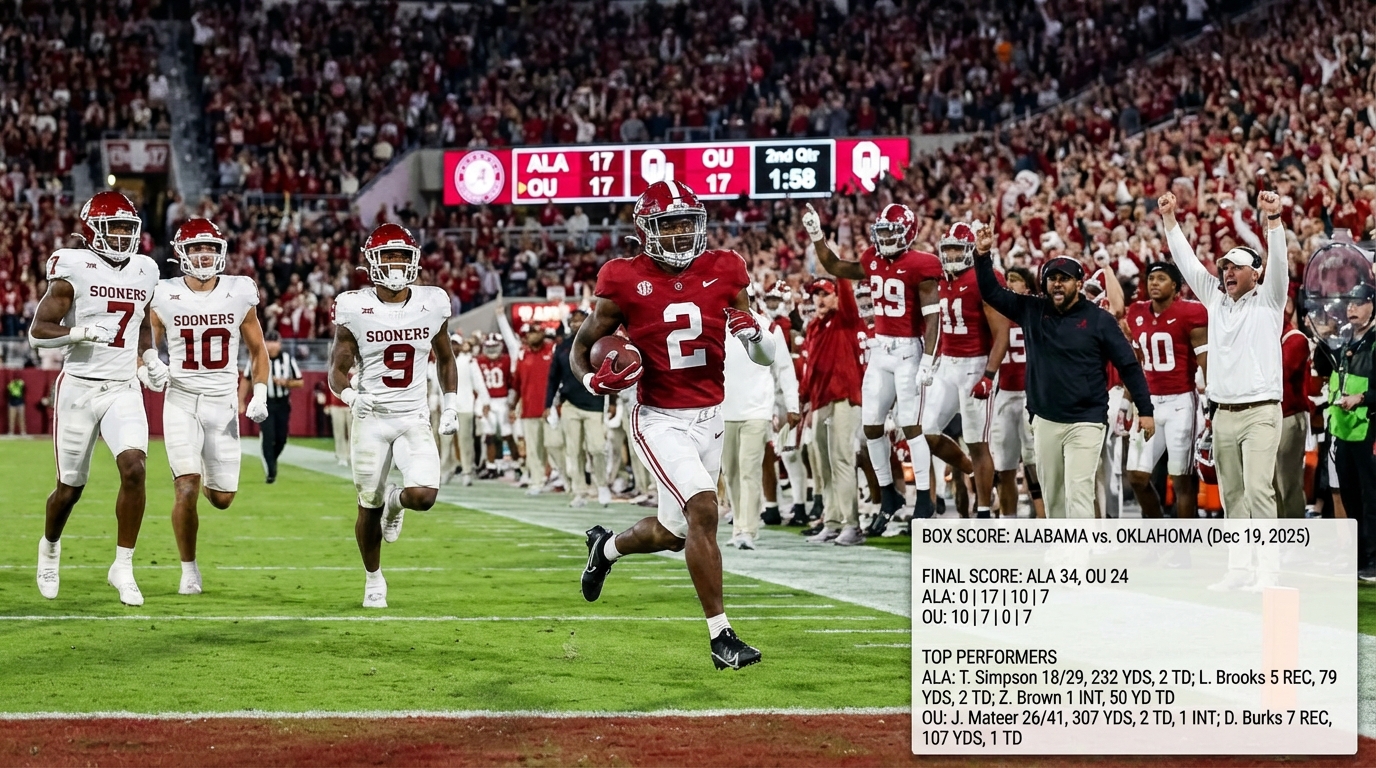
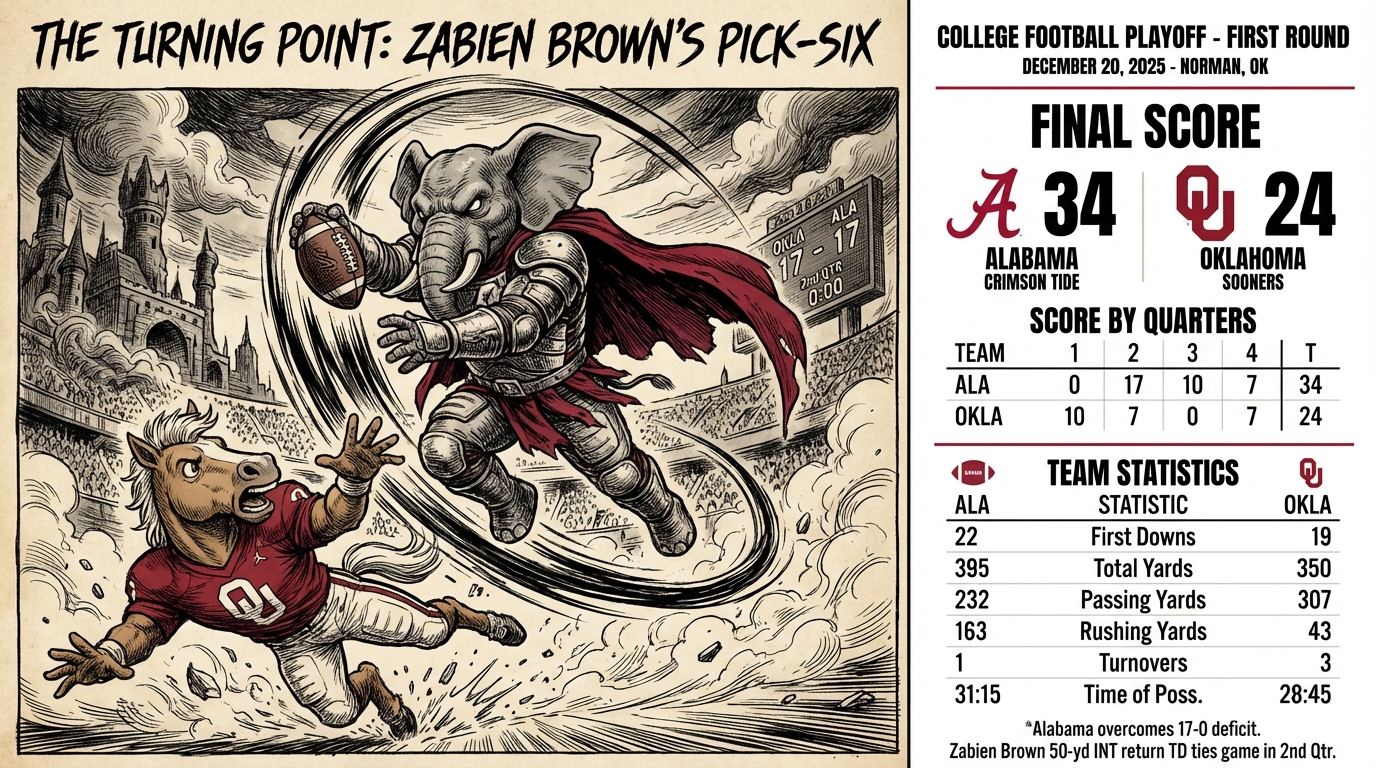

Should have this working fairly soon on haikuthenews.ai. Cheers, have fun out there.
 Robot Pirate Ninja